menu bar · next to the clock

See what's left. Before you
get cut off.

The 5 h session and the week, each with what it has left. Next to the clock. Nothing to open, and no made-up numbers: only yours.

No cardMac, Windows and Ubuntu5 devices

90·14m / 20·2d 41·2h / 82·3d 34·4h
Thu 9:14 PM
Claude59% leftweek: 18% leftHeadroom
ChatGPT10% leftweek: 80% leftHeadroom
Grok66% leftlocal copyHeadroom
Cursorno session on this machineHeadroom

The tools you already use.One view.

Claude ChatGPT Cursor Grok Copilot DeepSeek Kimi Qwen GLM
Illustrative example

What you really lose

“Limit reached” shouldn’t be your first warning.

You’re mid-line and the next message doesn’t go through. The week was at 20%, but the one that counted was the 5 h session. Nobody told you.

  1. 75%

    You still have time.

    One whole task fits. You decide whether it’s this one.

  2. 90%

    Start wrapping up what matters.

    Whatever you start now won’t finish. Save and close.

  3. 100%

    The cutoff, no surprise.

    Without the app it’s your first warning. With it, it’s the third, and you already know when it frees up.

  4. ↺

    Back at just the right moment.

    Another alert 5 minutes before it frees up. Not half an hour later.

How it works

One glance. Then back to your work.

01 · THE PANEL

Two limits. Zero surprises.

One click on the bar and you see each provider’s 5 h session and its week, with the reset time. Having week left doesn’t mean having session left.

  • Double ring: session outside, week inside
  • No session? It doesn’t draw a 0%: it says so

02 · THE SESSIONS

Every session counts.

Pick a day and see how many sessions there were, which are still open and how much each one ate. The data is already on your disk.

  • Usage per day, Monday to Sunday
  • Title, project and tokens of each session

03 · THE ALERT

Don’t let the limit interrupt you.

Alerts at 75%, at 90%, at the cap and 5 minutes before it frees up. Based on each plan’s real reading, not an estimate.

  • Native system notifications
  • Widget and keyboard shortcut on Mac
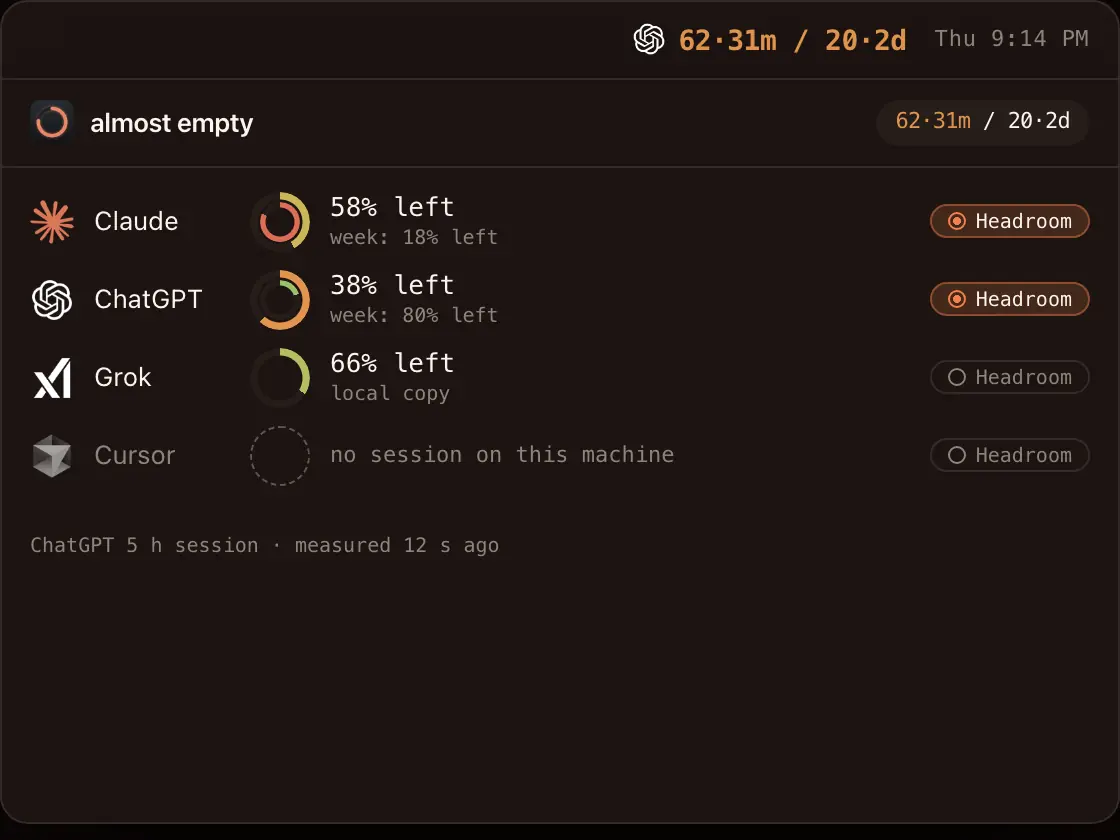
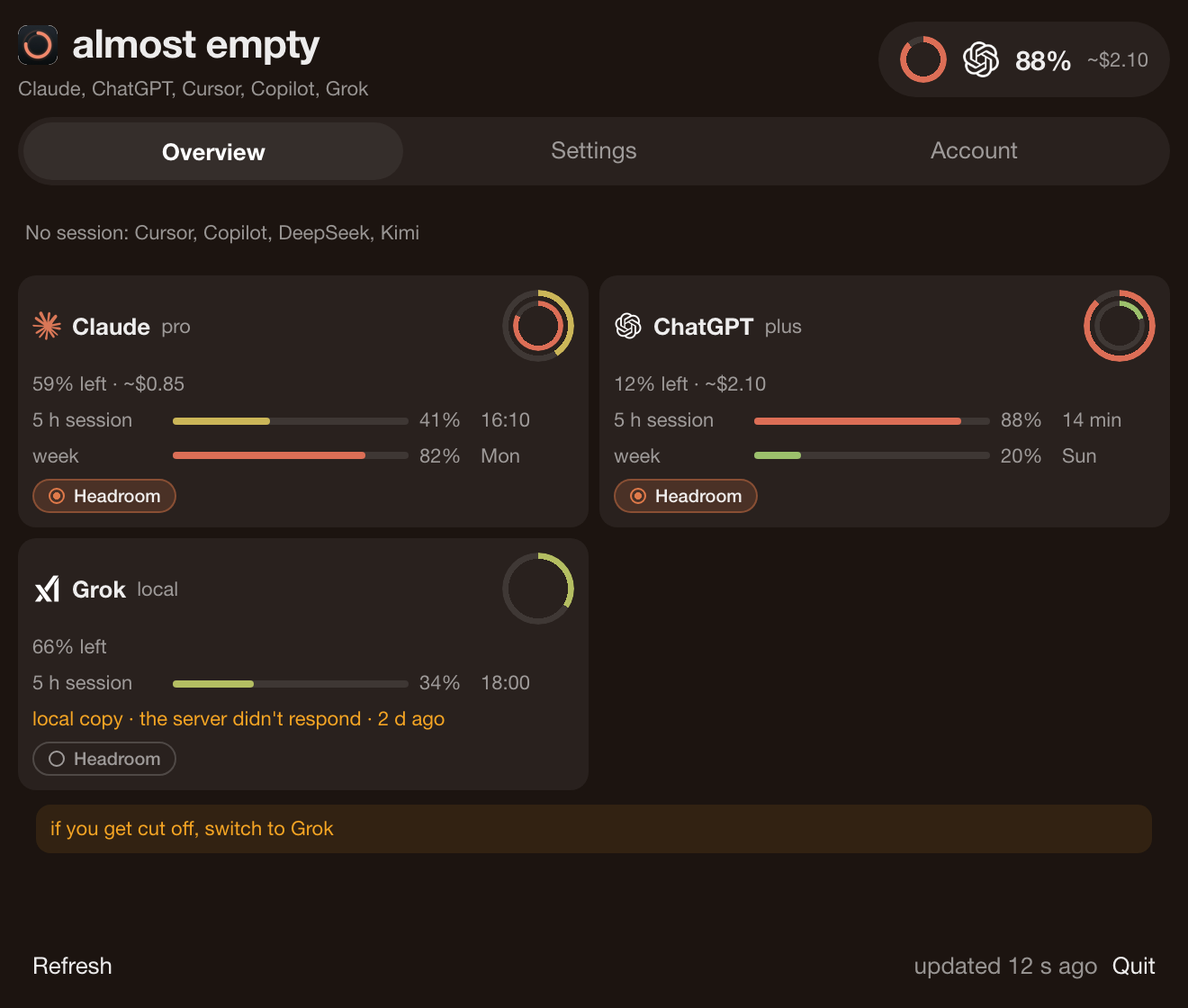
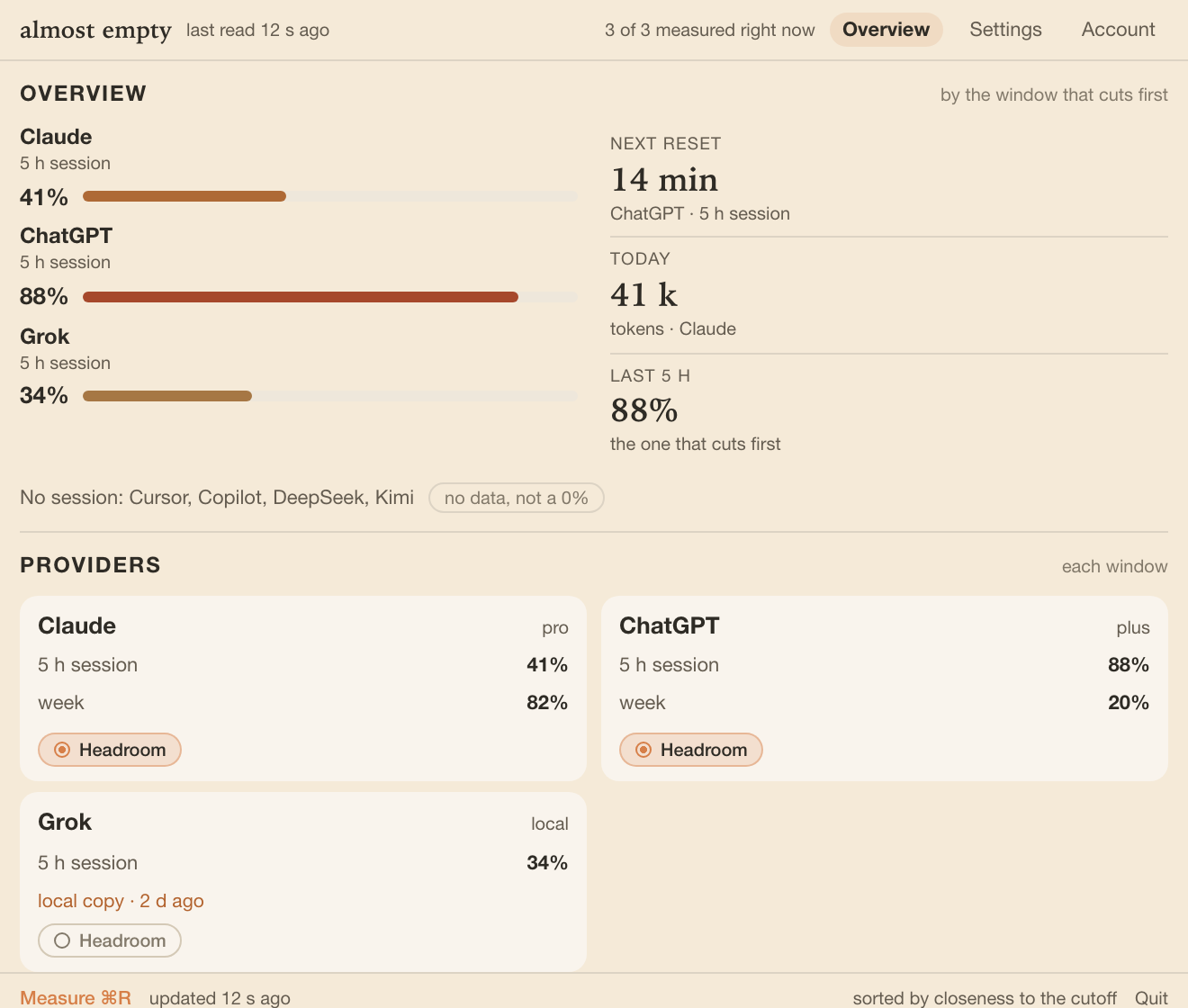
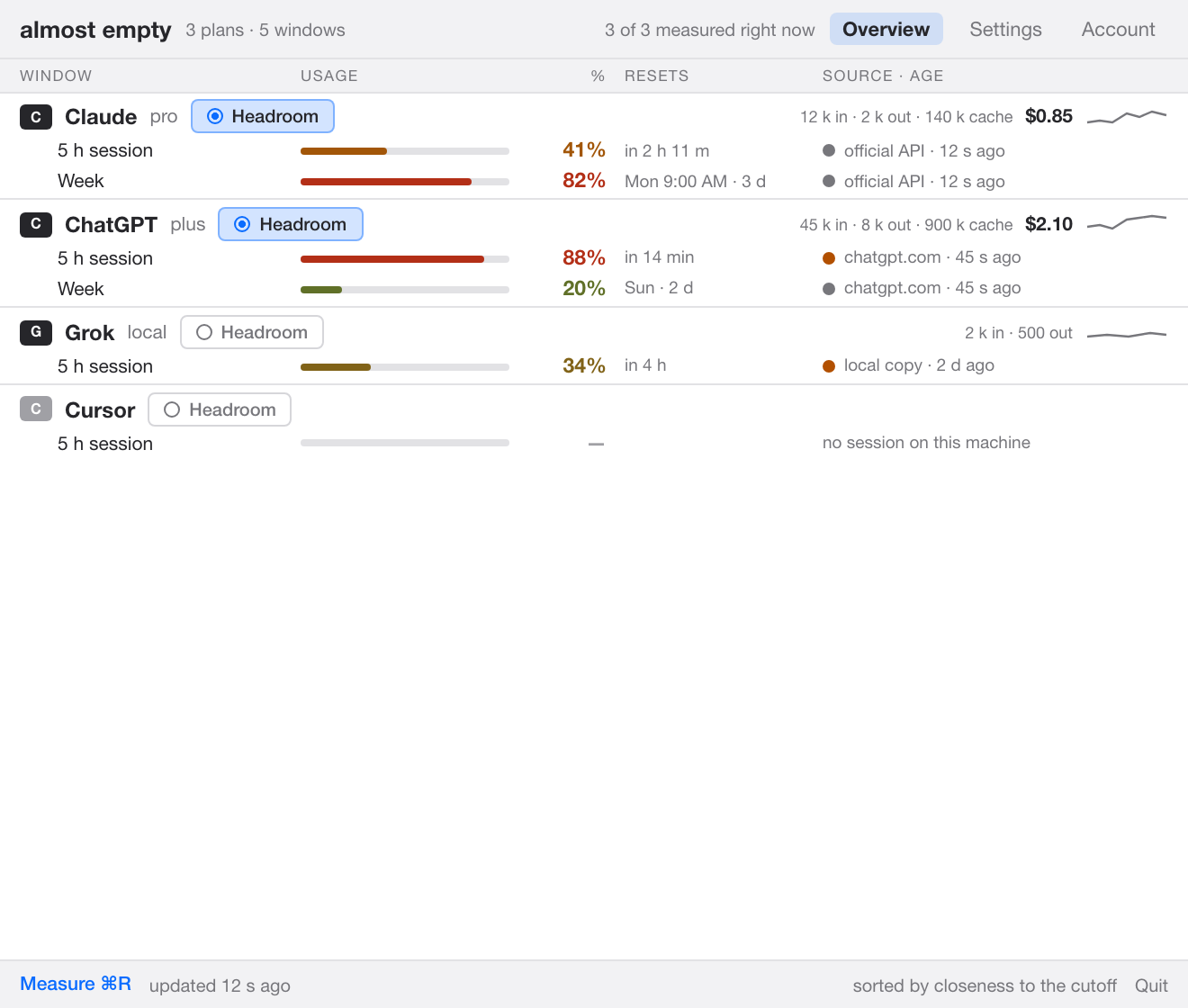
The almost empty panel, open: Claude, ChatGPT and Grok with their ring and Headroom chip; Cursor with no session.

What your plans have left, in one place.PANEL DEMO

Four skins

Same data. Your own view.

Four layouts for the panel: they change the arrangement, not just the colour. Pick yours in Settings, whenever you like.

The names are the ones in Settings.

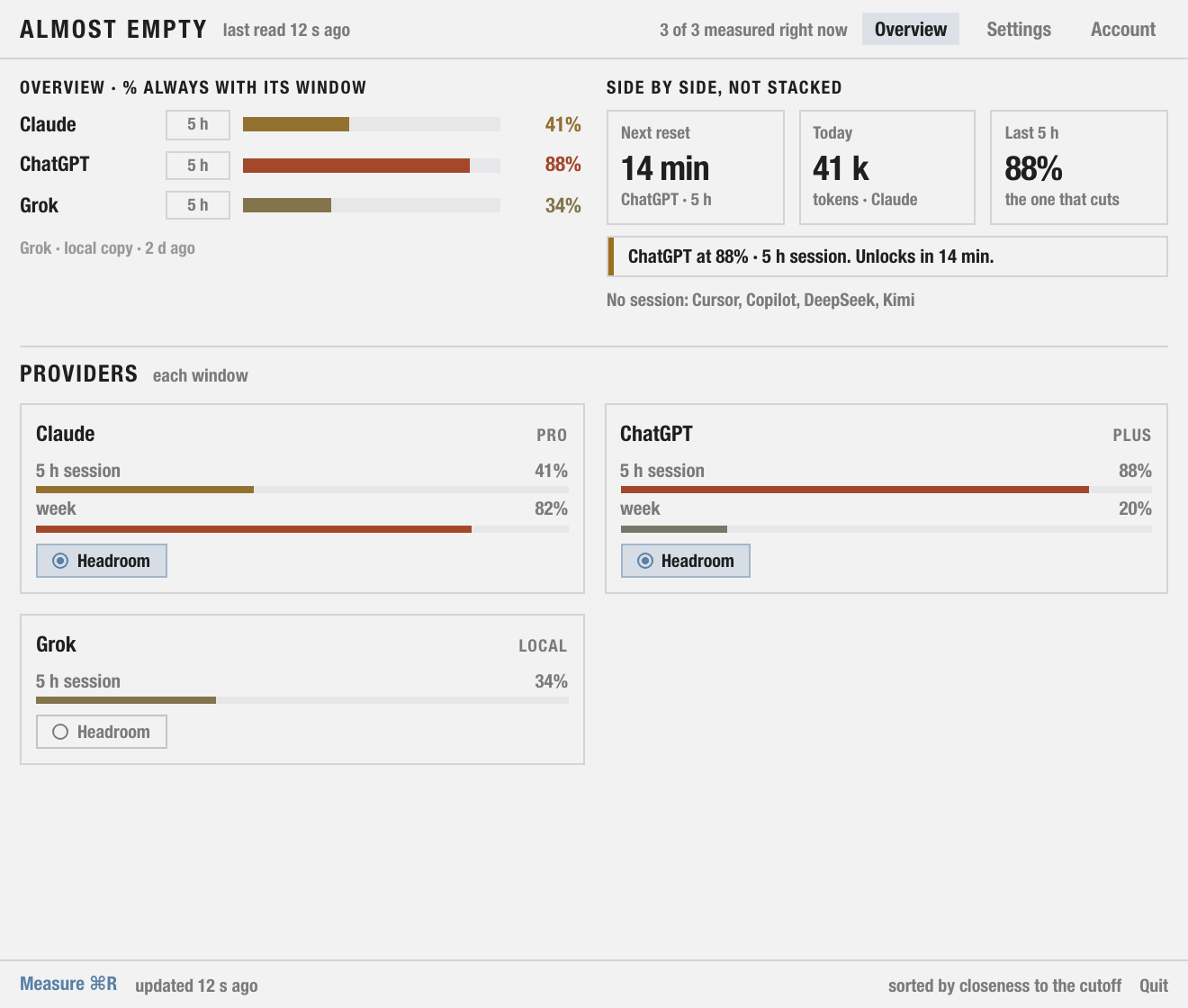
almost empty panel, Current skin: cards per provider. almost empty panel, Table skin: one continuous column. almost empty panel, Industry skin: dense zones. almost empty panel, Organic skin: more air and curves.

Try it

Try the limit.

Move the control and watch what changes as you have less left: the colour and the alert you would get.

This is a demo of the 5 h session. The windows and data available depend on each provider and on your plan.

LEFT 82% 5 H SESSION
INTERACTIVE DEMO

Plenty of room. Carry on with what matters.

Headroom, if you have it

Spend less context. See how much you save.

Headroom is a separate tool. If you have it installed, almost empty turns it on per provider: a local proxy that compresses the context of the official CLIs. The footer of each card shows what that AI saved.

  • Official CLIs only: it doesn’t wrap chatgpt.com or claude.ai
  • DeepSeek, GLM and Qwen have no wrap
  • Applies to upcoming sessions; the one already open doesn’t change
  • Without Headroom, the rest of almost empty works the same

Privacy

It reads usage. Nothing else.

It doesn’t read your chats

It only checks usage. Login asks for a name and an email: nothing from Drive or from conversations. Transcripts stay on your disk.

No pasting API keys

It uses the sessions you already have on the machine. It doesn’t open a new one or write to their files. API keys are optional.

Secrets in the keychain

Keychain on Mac, Credential Manager on Windows, Secret Service on Ubuntu. Never in a text file.

Pricing

7 days with everything. Then you pick the clock.

One app, no Pro plan to distract you. The only thing that changes is whether you pay monthly or yearly.

  • Session and week quotas
  • Alerts before the limit and before the reset
  • Sessions, activity and four skins
  • 5 devices: Mac, Windows and Ubuntu, mixed
$79/ year · 5 devices

About $6.60 a month. The option almost everyone picks.

Downloads are paused for now

No card to start. If it ends unpaid, the app closes.

Billing will happen inside the app and isn’t active yet: there’s no card form here.

download · Mac, Windows and Ubuntu

Mac, Windows and Ubuntu.

Downloads are paused for now. If you already have almost empty installed, it keeps working and updating.

  • YOUR SYSTEM

    macOS 15+

    Apple Silicon and Intel. Widget. Signed and notarized by Apple: download, drag to Applications and double-click.

    Open the .dmg, drag the app into Applications and open it. If macOS asks for your Mac's password or to confirm it came from the Internet, that's normal.

    Downloads are paused for now
  • YOUR SYSTEM

    Windows 11

    System tray. Credentials in Credential Manager, not in a text file. x64, unsigned .msi installer: Windows may ask you to confirm during install.

    Windows will show “Windows protected your PC” because the installer isn't signed yet: click “More info”, then “Run anyway”.

    Downloads are paused for now
  • YOUR SYSTEM

    Ubuntu

    Tray. Secret Service if it's there; if not, it says so: it doesn't fake a keychain. Same panel as Mac: usage, sessions and the four skins.

    Double-click the .deb or, in a terminal, sudo apt install ./almost-empty-*-ubuntu.deb. It may ask for your administrator password.

    Downloads are paused for now

questions

The ones people search for.

Still have a question? Write to us and a person answers.

[email protected]
Can I download it already?

Downloads are paused for now. If you already have almost empty installed, it keeps working and updating.

Is it free forever on one device?

No. 7-day trial with everything. Then $18 a month or $79 a year, 5 devices. When it expires unpaid, it locks. There is no free single-device plan.

Is there a monthly fee?

Yes. $18 USD a month, or $79 USD a year (~$6.60/mo). Same app.

Are the 7 days without internet the trial?

No. That's offline grace: someone with a valid license who loses connectivity keeps going for 7 more days. It lasts as long as the trial, but it's a different clock: the trial runs from sign-up; the grace, on an already active license.

When does Claude Code cut me off?

At the 5 h and at the week, at the same time. 4% of the week gives no warning if the session is at 67%. almost empty draws both.

Why does ChatGPT block me if the week is at 20%?

Because it cuts you off at the 5 h. It alerts you at 75, at 90, at the cap, and 5 minutes before it resets.

Do I have to paste an API key?

Not for the plan. It reads the sessions you already have. Keys are a different bill (real spend for the month) and they go in the keychain, not on disk.

Does almost empty read my chats?

It reads usage. The account sign-in asks for email and name. Nothing from Drive, no conversations.

Do I have to sign in to Claude or ChatGPT again?

No. It uses what they already left on your machine. It doesn't open a new session or write to their files.

Do the 5 devices see the same thing?

Each device reads the AI usage signed in on that machine: Claude, ChatGPT, Cursor and the rest aren't copied. Claude's work log (title, project, tokens for the day) is visible on the other devices on the same license. Transcripts stay on disk. The only other things shared are the license and its clock.

I got “Claude limited requests”. Is the app at fault?

If it says “Claude (Anthropic) limited”: that is a 429 from Anthropic, the app waits and keeps the last reading. If it says there's no reading yet and that almost empty is waiting a moment: that's the internal brake (three minutes) so it doesn't ask too often; it's not Anthropic. The app's request weighs bytes, it doesn't spend your quota.

I reinstalled and the API keys are in the list but show no spend

The list stays; the secret lives in the Keychain and sometimes doesn't survive a change of binary. Delete the key and paste it again. Same if you just updated and Claude Code asks for Touch ID again.